Features
Run your whole park from one place
ParkPilot covers the full guest stay, from the online booking request to the final payment, for RV parks and campgrounds.
Online booking page for every park
Each park gets its own public booking page at parkpilot.camp. Guests pick their dates, see which sites are open grouped by site type, and submit a reservation request with a live price quote.
- Real-time availability by date range
- Price quotes calculated from your rates and seasons
- Park rules published on your booking page
- Confirmation code and email receipt for every request
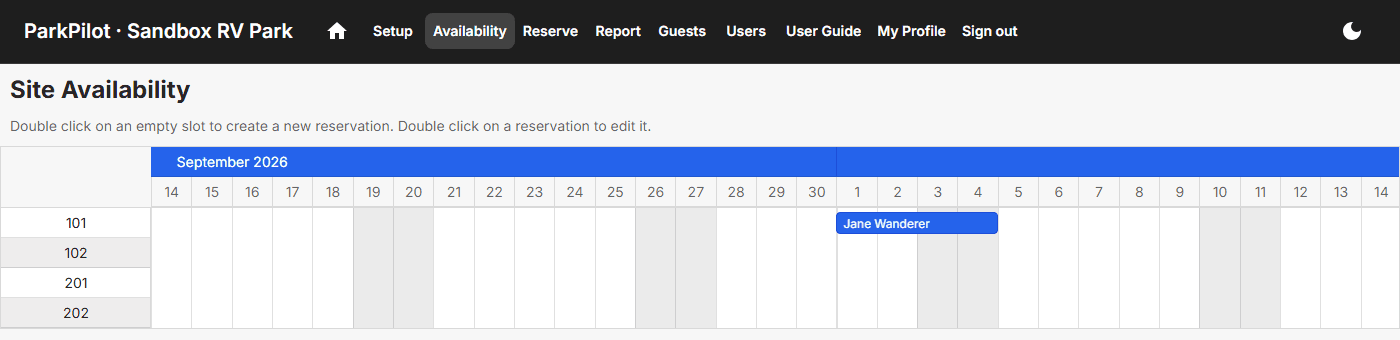
Site availability grid
See every site across the coming weeks at a glance. Double-click an open slot to start a reservation, or open an existing stay to edit it or move the guest to a different site.
- Color-coded stays by site and date
- Quick booking from the grid
- Works on phones as an agenda view
Reservations management
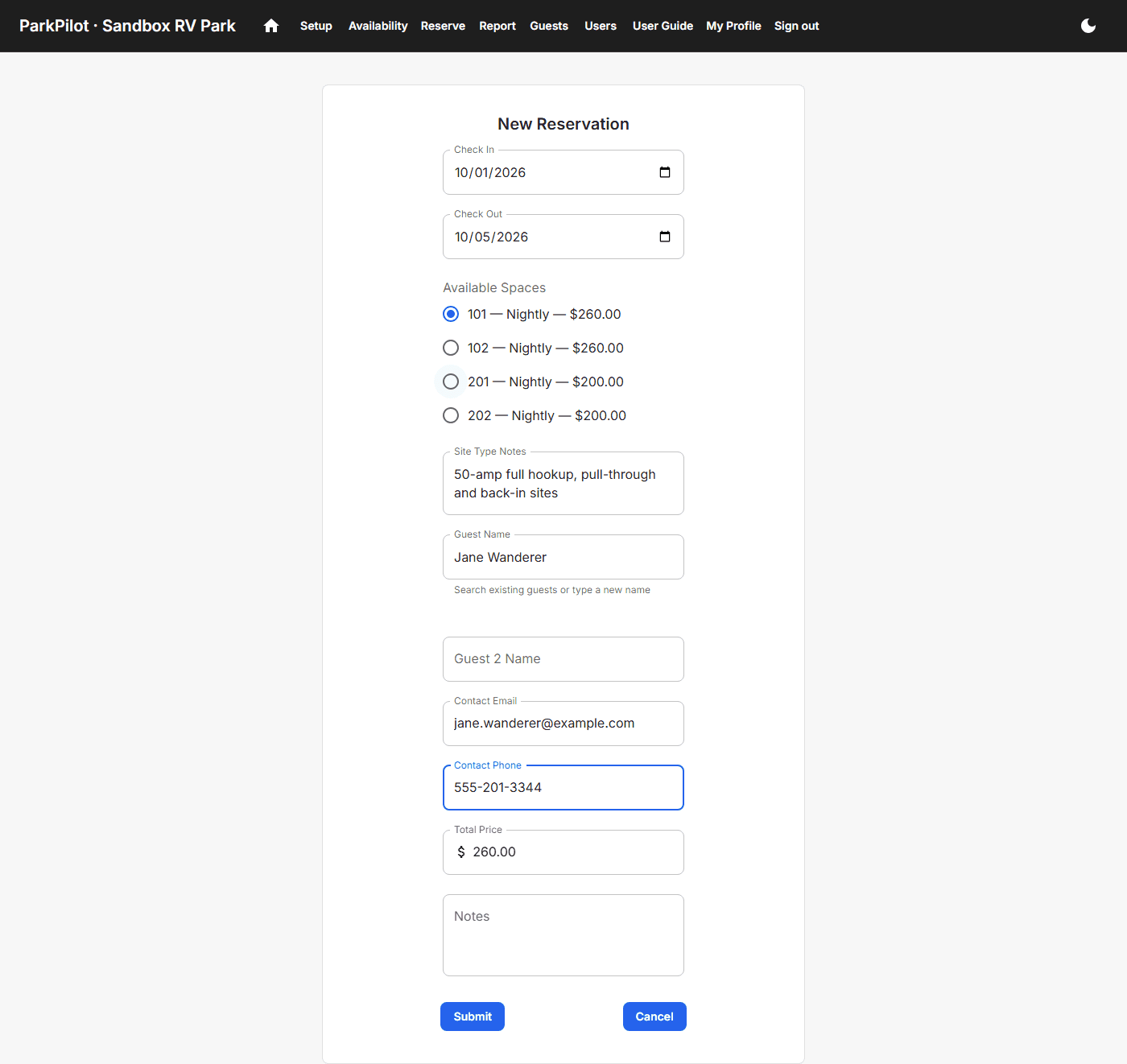
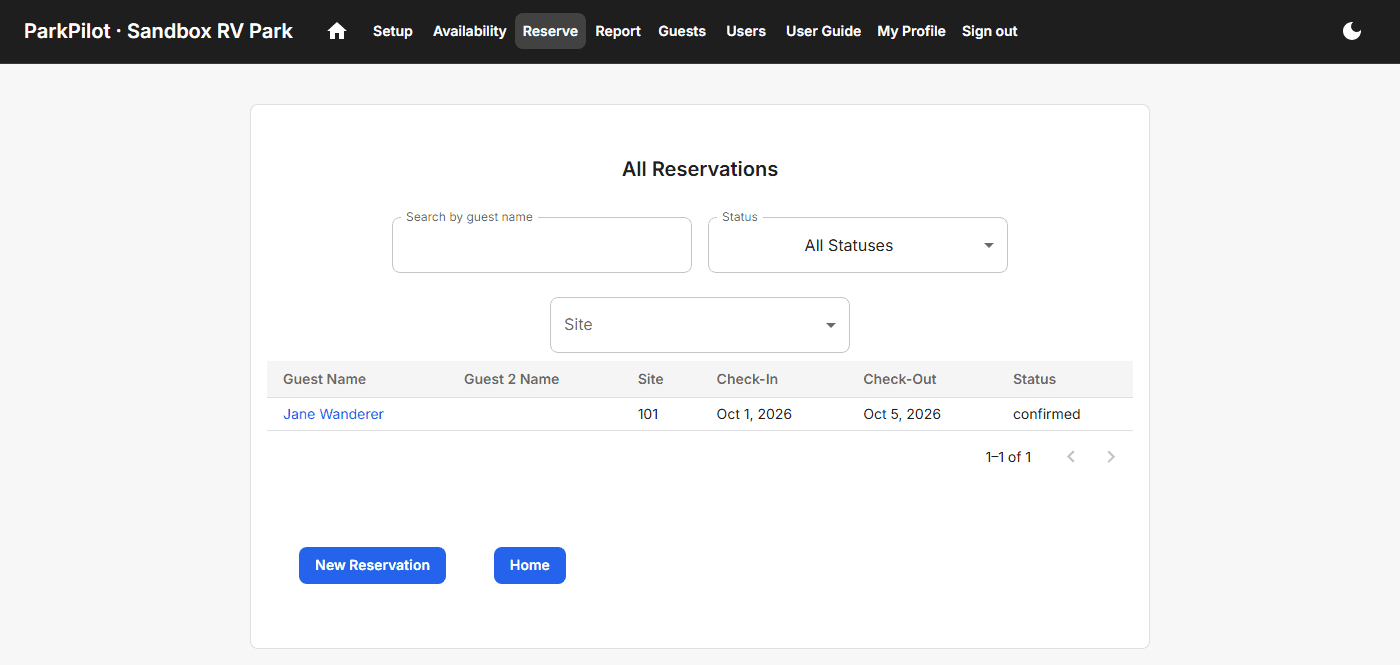
Take phone and walk-in reservations, confirm online requests, and search every reservation by guest, site, or status.
- Available sites and totals shown as you enter dates
- Returning guests found by name
- Second guest, notes, and custom pricing per stay
Park setup: sites, seasons, and rates
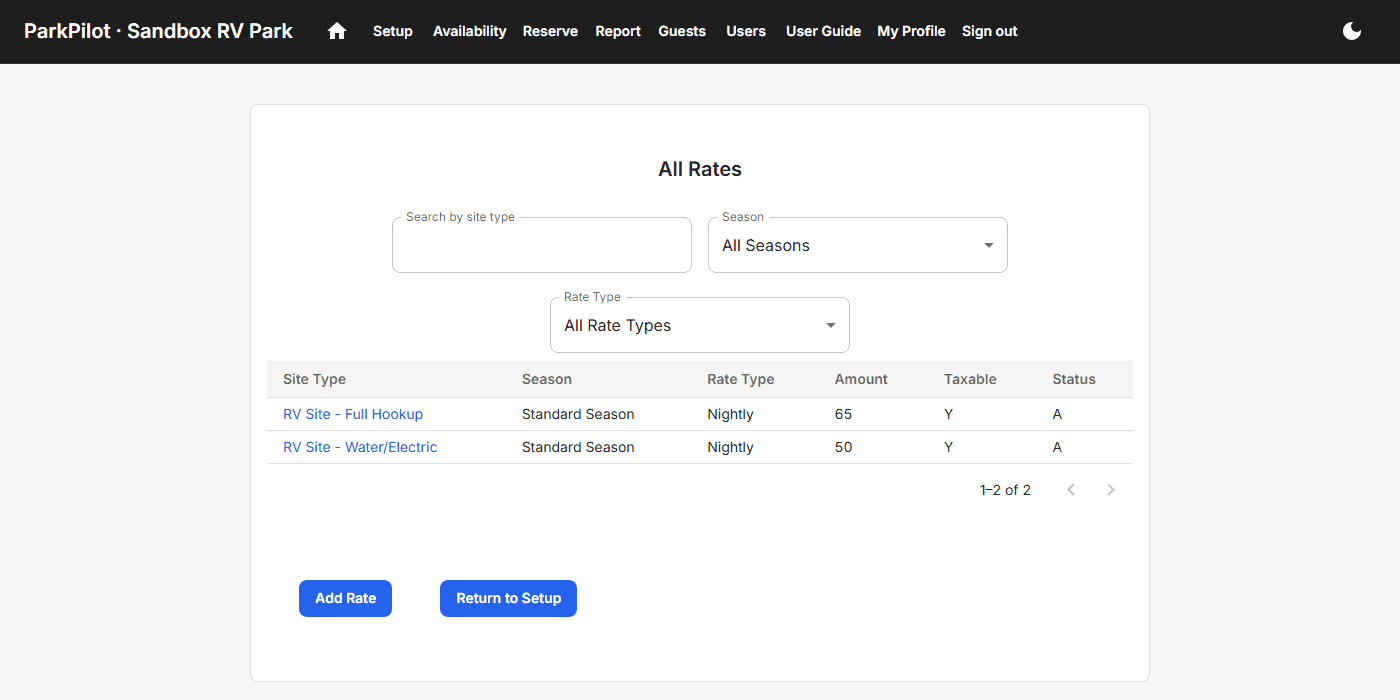
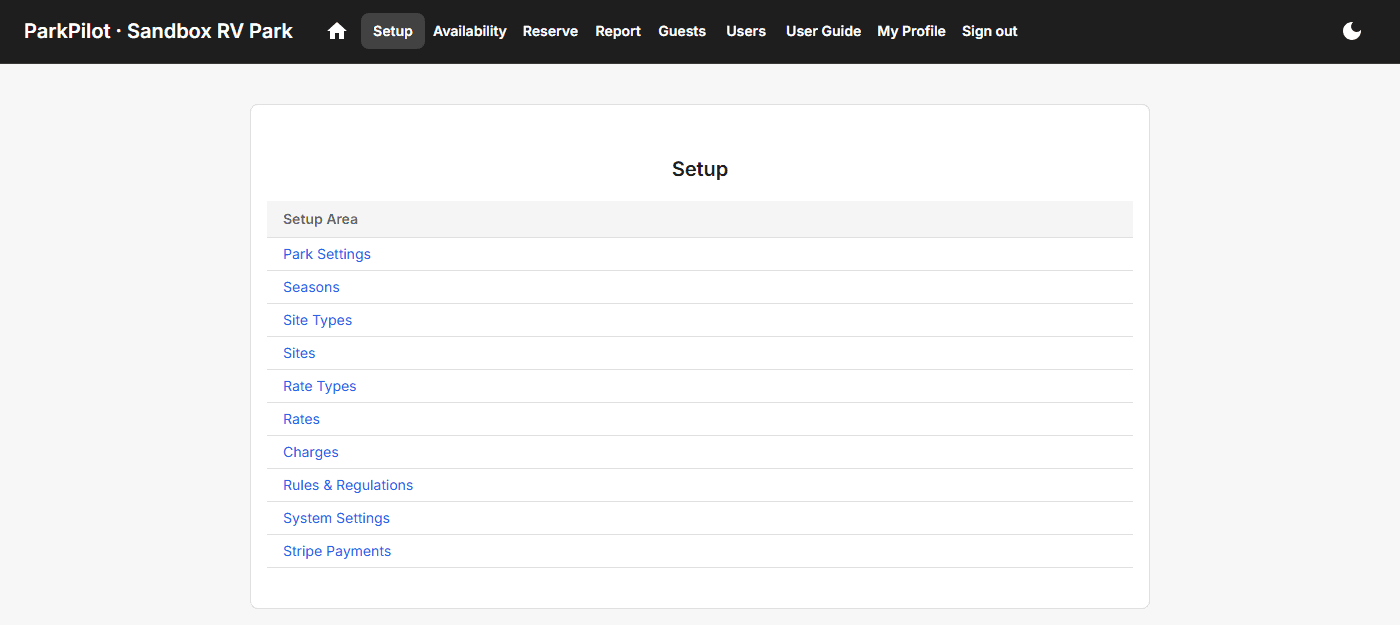
Model your park the way it actually runs. Define site types and individual sites, seasons with their own pricing, and daily, weekly, or monthly rate tiers.
- Taxable and non-taxable rates
- Extra charges such as pets or extra vehicles
- Park rules and regulations
- Tax and system settings
Guest bills and payments
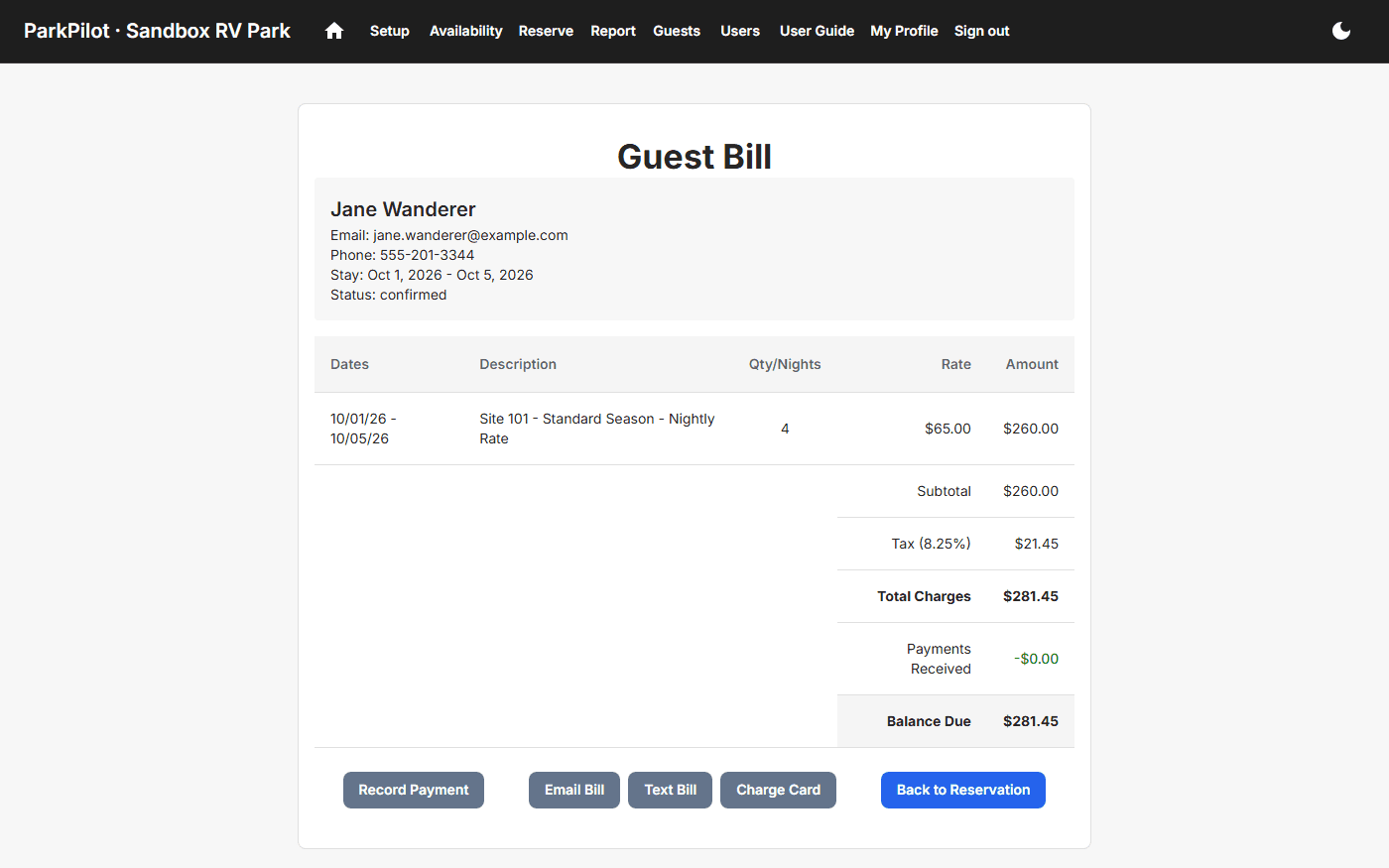
Every reservation has an itemized bill with site charges, extra charges, metered utilities, taxes, and payments. Send the bill by email or text, charge a card, or record a cash or check payment.
- Card payments through Stripe, deposited to the park's own account
- Emailed payment requests guests can pay online
- Monthly installment schedules for long-term stays
- Utility meter readings added to the bill
Guest email and text notifications
Guests get reservation confirmations, bills, payment requests, and receipts by email. Guests who opt in during booking can also receive transactional text messages, such as a link to their bill.
- SMS only with explicit, unchecked-by-default opt-in
- Every text identifies the park and ParkPilot
- STOP and HELP keywords honored on every message
- No marketing or promotional texts
Guest profiles and staff accounts
Keep guest contact details, mailing address, and RV details on file, and let guests complete their own profile from a secure link. Invite office staff with their own logins.
- RV make, model, year, and length
- Guest self-service profile form
- Per-user staff access
Reports
Run reports for any date range to reconcile the books and plan ahead.
- Occupancy
- Payments received
- Charges by type
- Site charges
Ready to run your park on ParkPilot?
Tell us about your park and we'll get your sites, rates, and booking page set up.